
2023 – Now
ASKO Servering
Two outdated apps had to go. The customers who used them every day had to stay. This is how we moved barcode scanning out of the apps and into the webshop.
Scanning goods on askoservering.no
The starting point
ASKO Servering had three native apps built between 2012 and 2014. They were no longer maintained, one of them had stopped working, and internally the message was clear:
“These apps are a security risk”
“These apps are expensive”
At the same time, over a billion kroner in revenue went through the Mobilhandel app every year, and the share of mobile users on the web had fallen two years running. Switching the apps off just like that wasn't an option. The task was to find out what customers actually used the apps for, and whether it could be solved on the web instead.
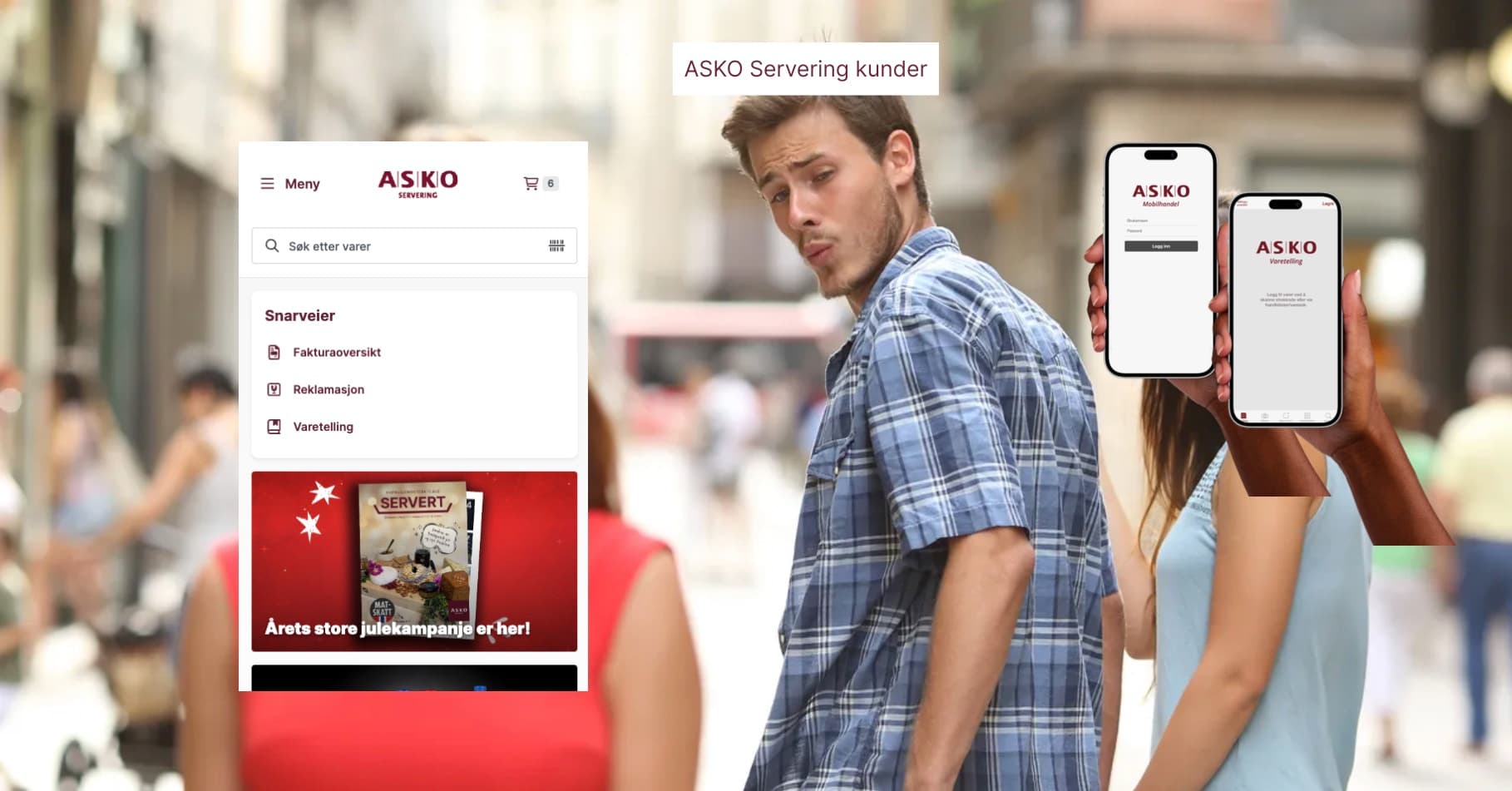
Two hypotheses to test
We didn't want to build an app replacement on guesswork. We formulated two hypotheses and decided what we needed to know to answer them.
Hypothesis 1
Many users prefer to shop via mobile, but we're unsure how.
Sub-question: How do customers shop on mobile today? What works, and what doesn't?
Hypothesis 2
Scanning goods on askoservering.no gives a better user experience, especially for new customers in kiosks and convenience retail.
Sub-question: How do we at the same time look after the existing customers who say today's solution works fine?
How I went about it
Research
Out to the customers
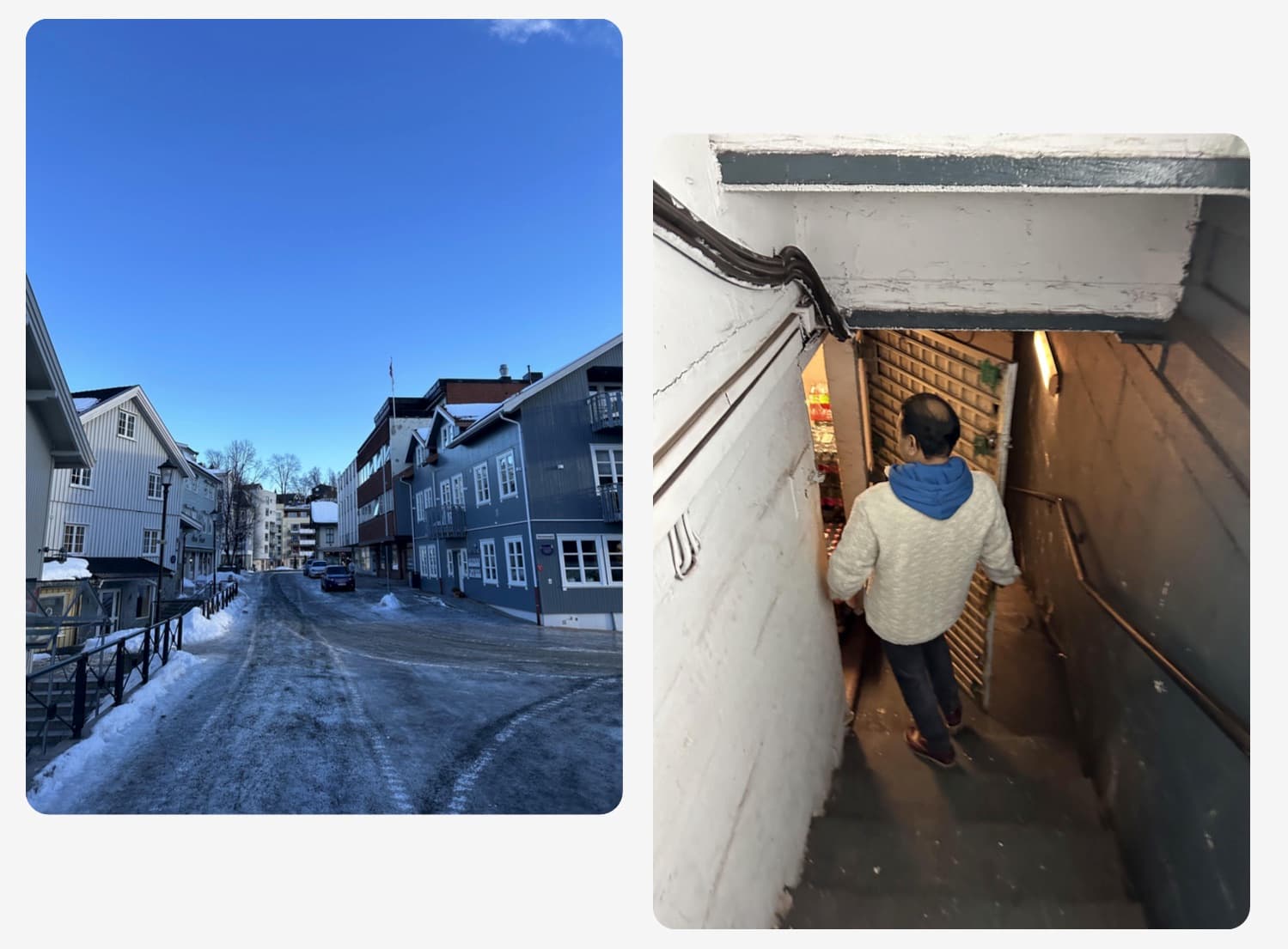
Customer visits to cafés and kiosks, conversations in the customer panel, and observation of how orders actually get made — in cramped premises, in the stockroom, between other tasks.
Research
The research was shared, not filed away
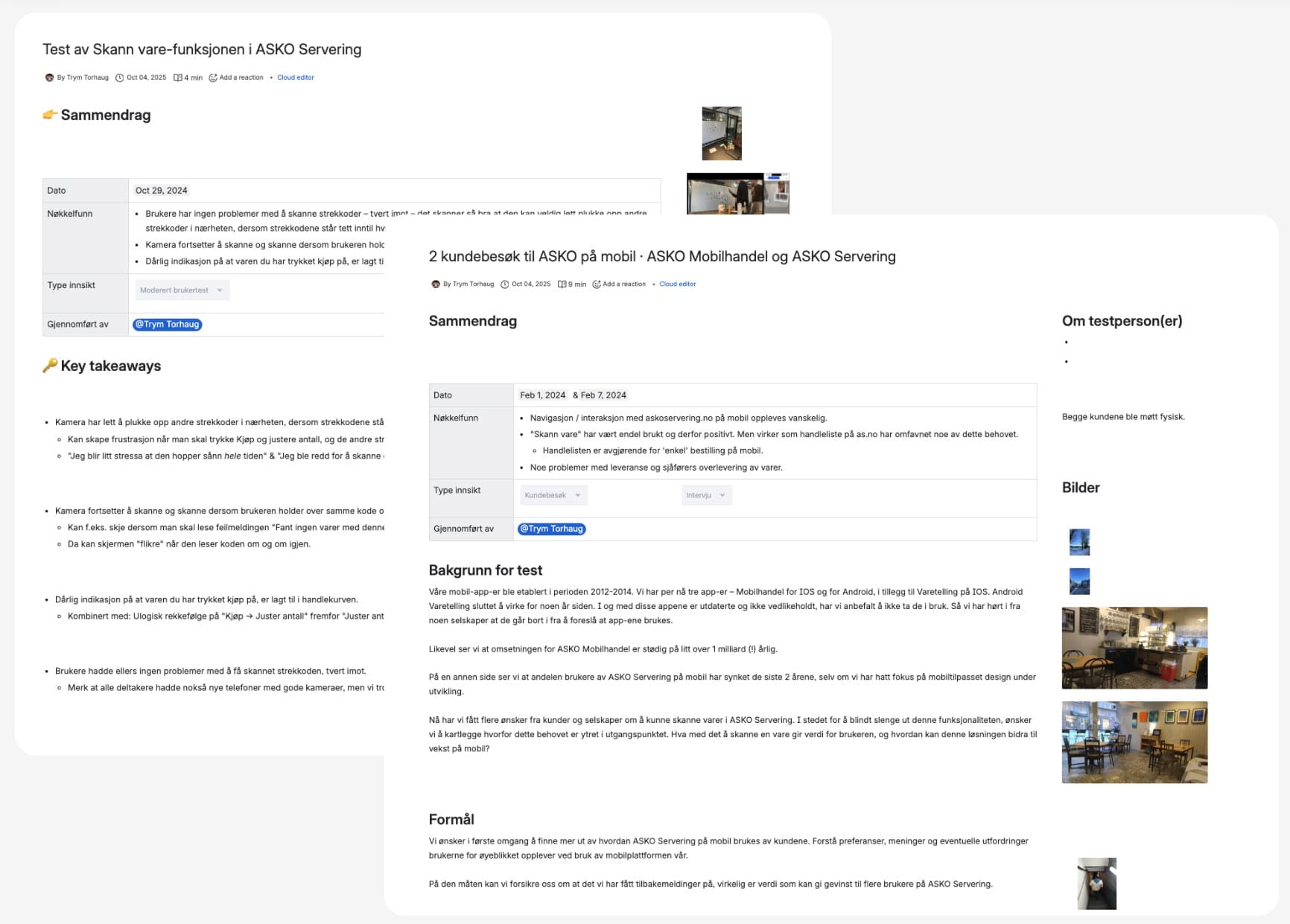
Every finding was documented in a research library the whole department could search and contribute to. It meant decisions later in the project could point back to something concrete.
Conclusion
Hypothesis 1 fell — and that was good news
Mobile ordering followed a fixed pattern: log in, look at the campaigns, work through the set shopping list, go to checkout, send the order. The webshop already covered this. It only needed minor adjustments, not a new app.
Hypothesis 2 remained, but with a clear risk: scanning is demanding to get good enough in a browser. This was where the effort had to go.
Version 1
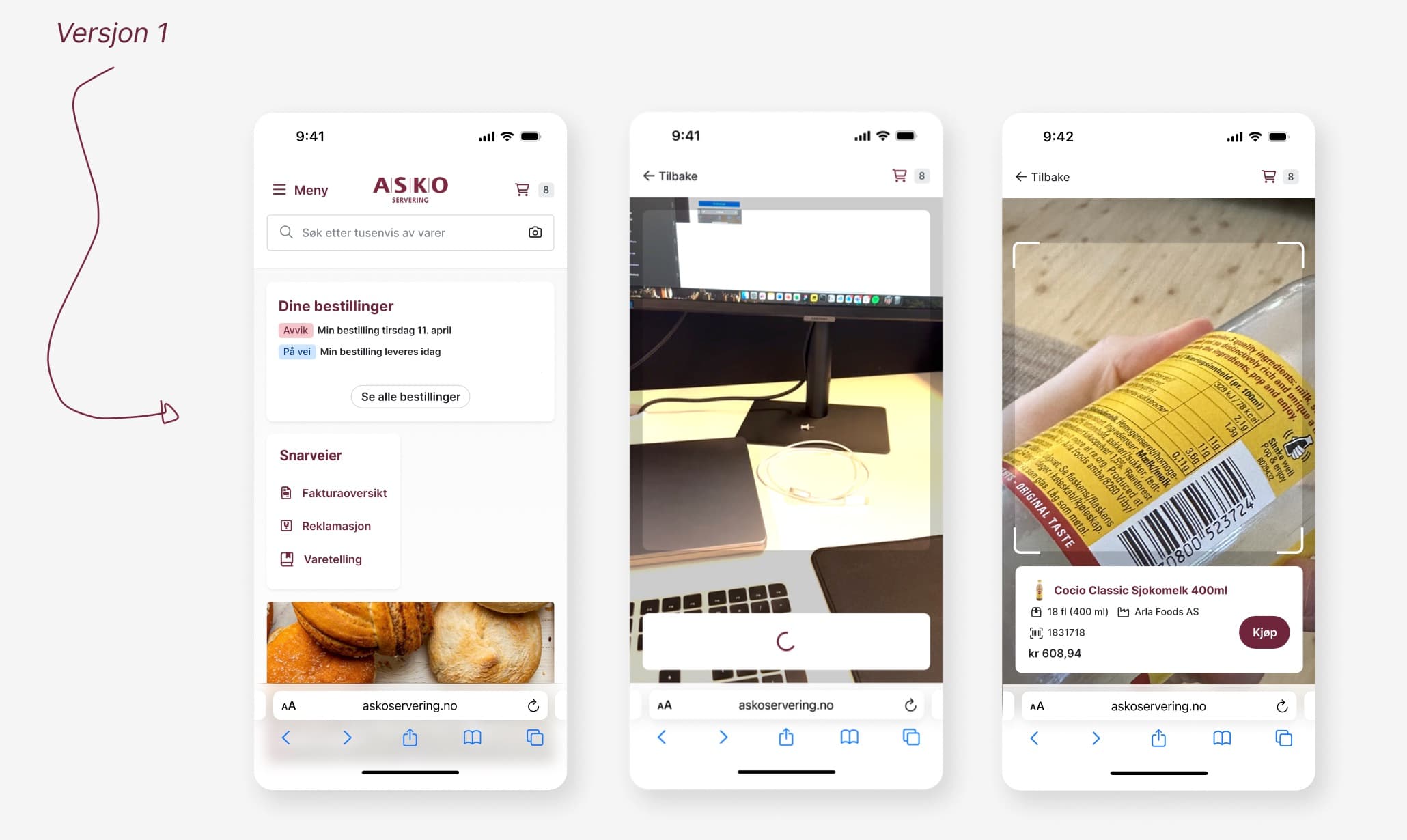
Camera in the search field
The first version put a camera icon in the search field and recognised barcodes automatically. We demoed the flow widely internally to gather feedback early.
Buy-in
Demo before test
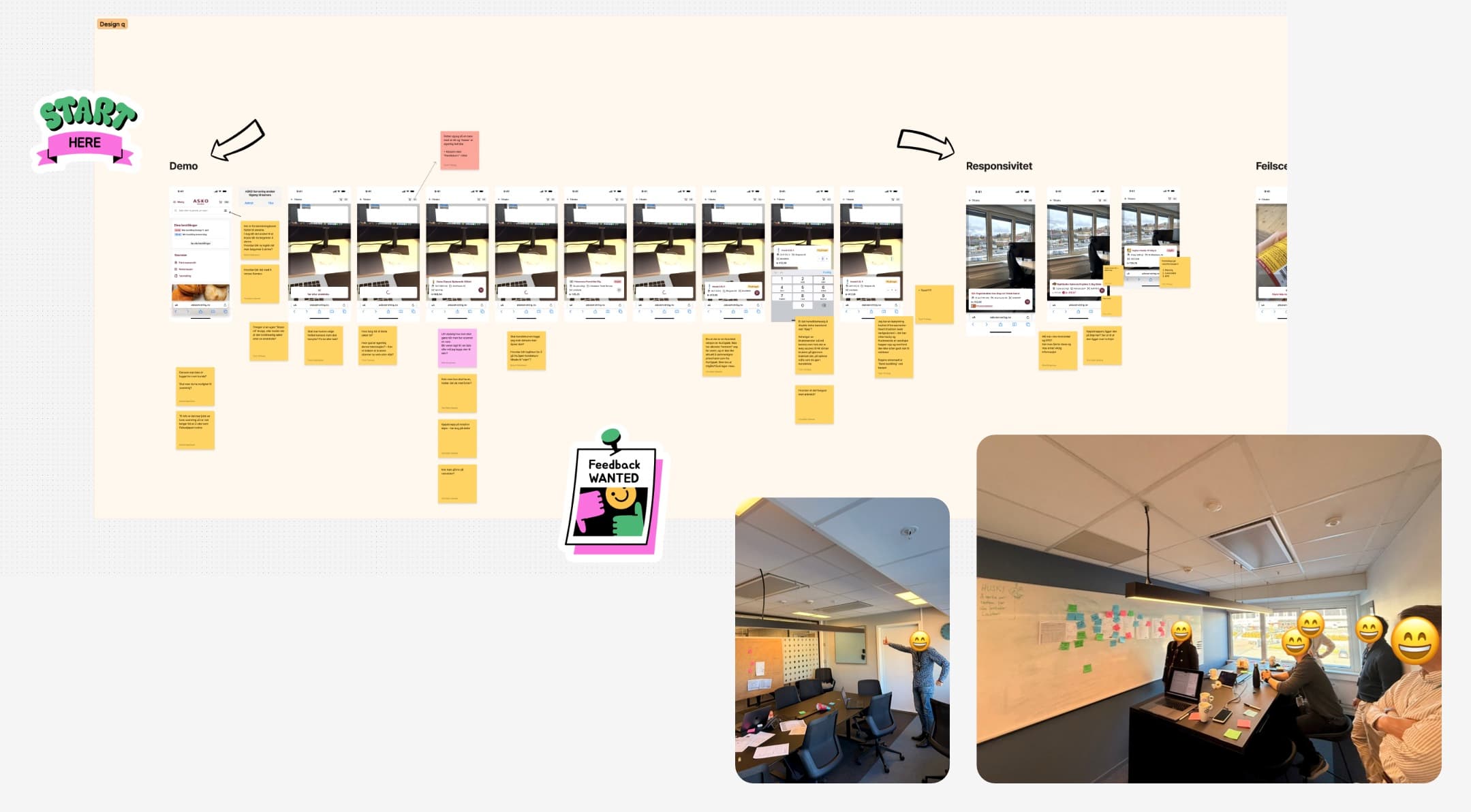
The whole flow was laid out screen by screen, with an open invitation to comment. It caught responsiveness, error states and edge cases before we spent customers' time.
User test
Tested on real packaging
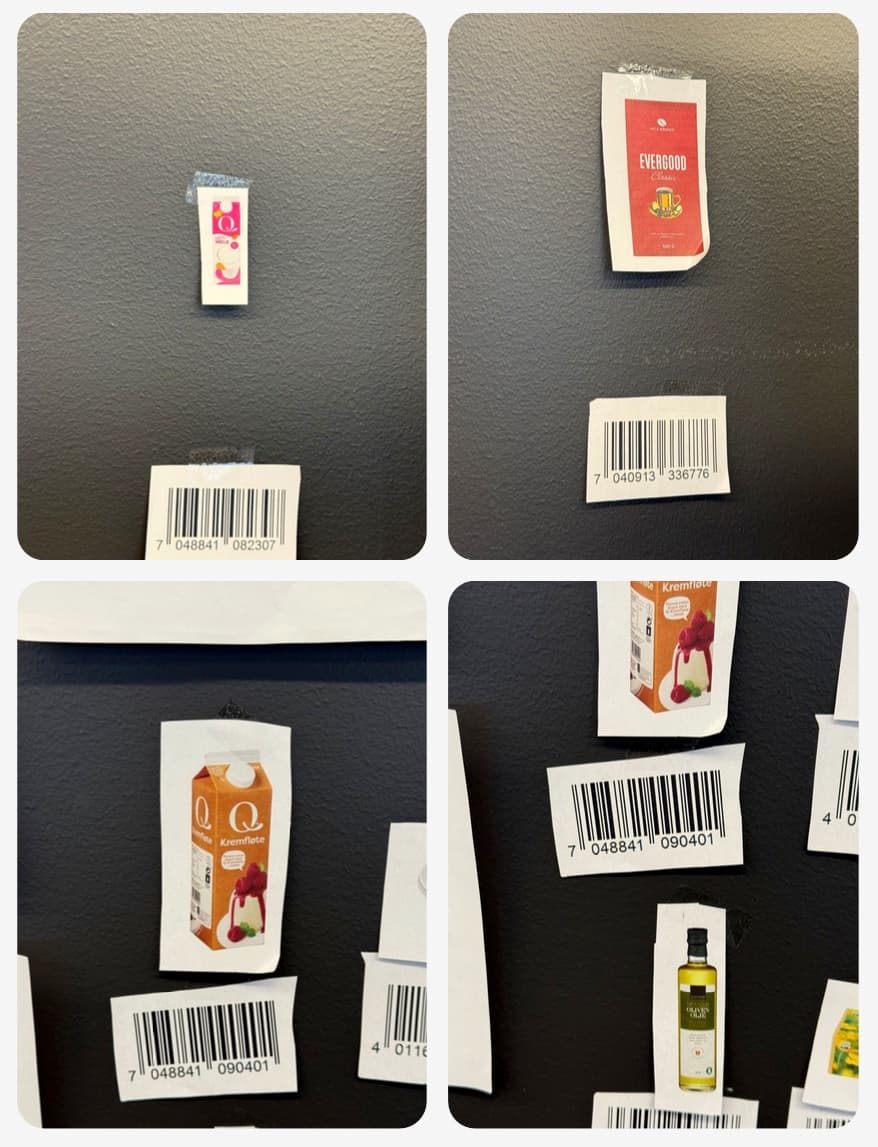
We built a test wall with barcodes and actual products, and tested on several phones. The findings were unambiguous.
- Automatic recognition wasn't very effective in practice
- The camera picked up neighbouring barcodes when they sat close together
- Big differences between devices and camera quality
- Glare on the packaging made the code hard to read
- Weak confirmation that the item had been added to the basket, so people scanned again
“I get a bit stressed that it jumps around like that all the time”
“Now I'm starting to wonder whether I'm the one who's bad at scanning”
Version 2
From automatic to in control
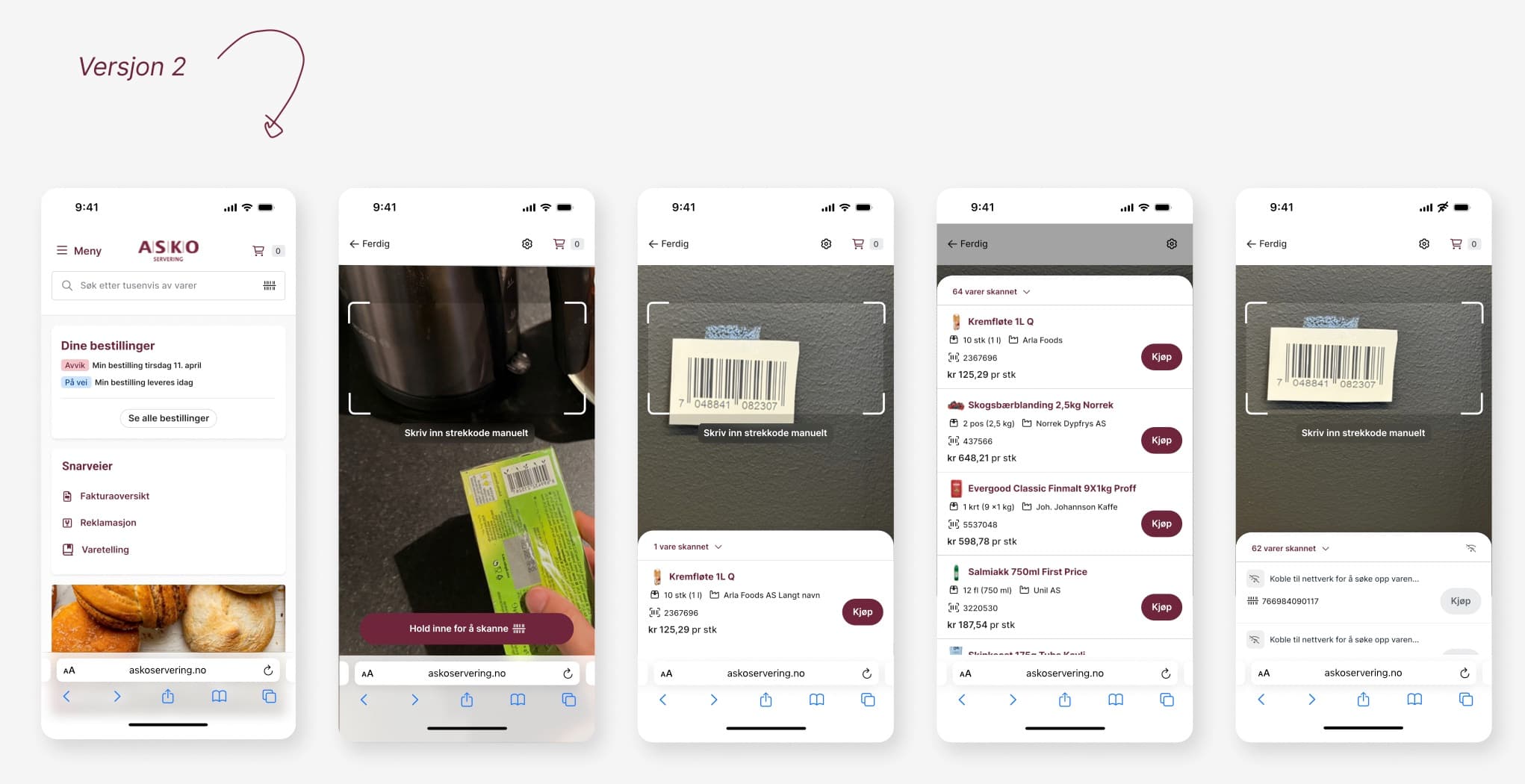
We gave the user control back, and made scanning something you do deliberately — not something that happens.
Press and hold to scan — The user decides when the code is read, and avoids the camera jumping between items.
List with a counter — Scanned items are collected in a list with quantities, so there's never any doubt that an item was registered.
Manual barcode — If the code can't be read, you type it in instead of giving up.
Handles a poor connection — Items that can't be looked up are queued until the network is back — a basement stockroom was a real scenario.
Version 3
Validated out in the field
The solution was tested with customers in their own premises, with their own goods and their own phones. We were challenged on things we hadn't seen in the office, and fixed them before the broad launch.
The effect
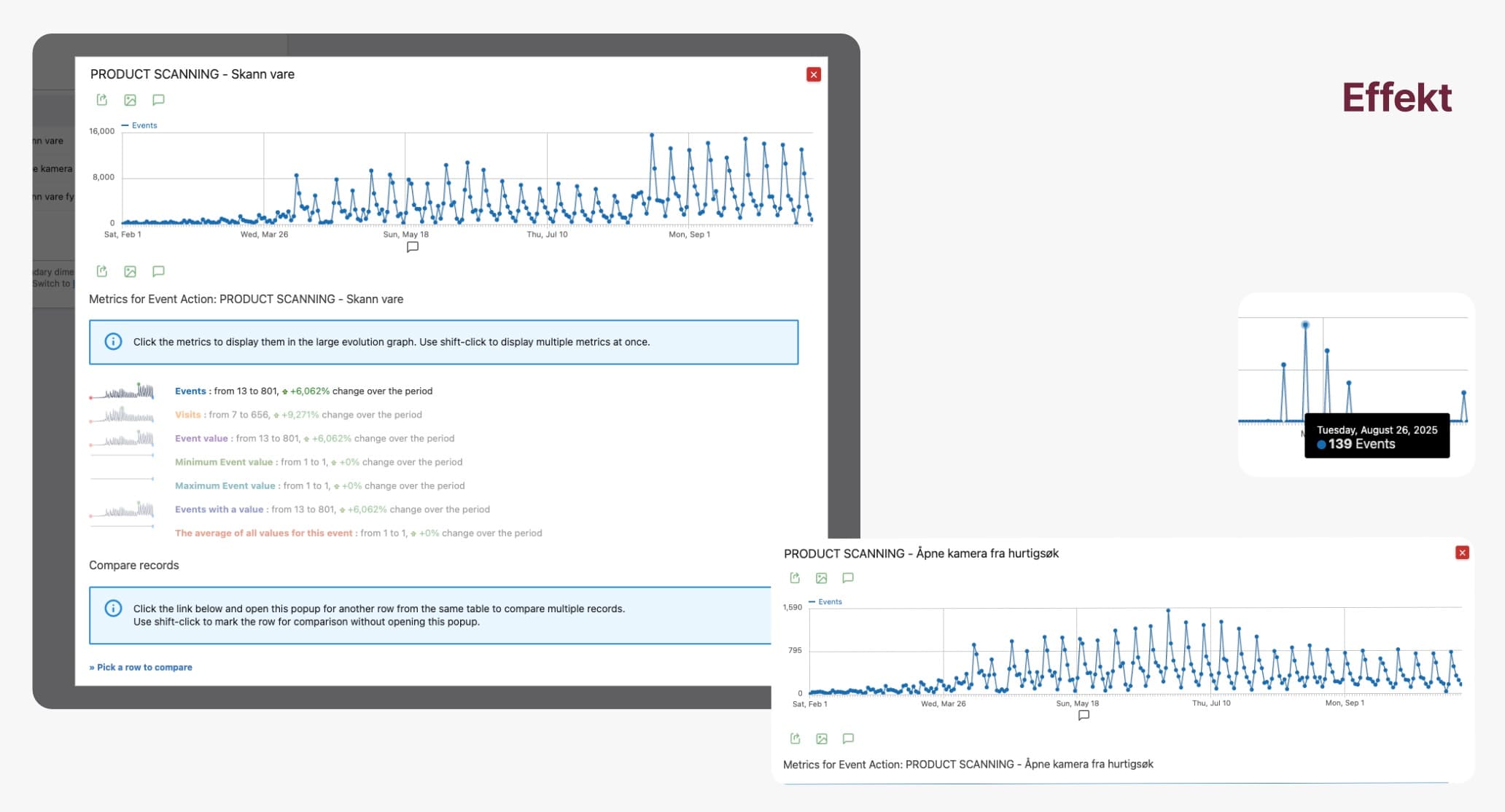
Scanning was released as a soft launch and grew steadily through 2025, without a campaign.
13 → 801
scans in the period, from February to September 2025
7 → 656
visits using the feature
139
scans on the single busiest day
“When will you offer scanning for complaints?”
“When will you offer scanning for stocktaking?”
“When will you offer scanning for returns?”
The clearest effect wasn't the numbers, but that customers started asking for more. The feature went from being an app replacement to becoming a building block in several workflows.
What I'm taking with me
Weight the design process to the problem — Hypothesis 1 was disproved quickly and cheaply. That freed up time for what was actually hard.
Curiosity makes better products — The most important findings came from being present where the goods are actually received, not from reading about it.
Launching early beats polishing long — Fast iteration and an early soft launch gave us feedback we couldn't have got in the office.